 Comparison
What Is the Best Integrated Smart Home System in 2026?
Last Updated: November 14, 2026
Quick Summary
The best integrated smart home system is the one where lights, locks, cameras, thermostat and voice assistant respond to each other through one shared control layer. Hub-based platforms like Hubitat or Home Assistant offer strong local control, while ecosystem platforms like Alexa or Google Home are easier to start with.
- Integration means devices share one control layer, not just separate manufacturer apps.
- Ecosystem platforms are easier to start with; hub-based platforms offer deeper local automation.
- Confirm each device's protocol and the exact hub model before buying.
- Ask which functions keep working without internet and where camera footage is stored.
- Schedule a free assessment to map the right system for your property.
Table of Contents
- What Makes a Smart Home System Truly Integrated
- Best Home Automation Systems Compared Side by Side
- Smart Home System Compatibility and Protocol Trade-Offs
- Privacy, Local Control and Reliability During Outages
- Full Smart Home System Costs: Upfront and Long-Term
- Smart Home Installation: DIY Versus Professional Setup
- Choosing Your Integrated System and Booking a Free Assessment
- Frequently Asked Questions
What Makes a Smart Home System Truly Integrated
A smart home system is only as good as the devices it can actually control together. At Integrity Home Technologies, we have more than 20 years of installation experience across Northern Kentucky and the Greater Cincinnati area. The best integrated smart home system is the one where your lights, locks, cameras, thermostat and voice assistant respond to each other without workarounds. Most homes that struggle with smart devices are not short on gadgets. They are short on a coherent system.
Integration is the real test. A truly integrated system shares one control layer, so a motion sensor can turn on a light, log an event and notify you through the same app. Devices that only talk to their own manufacturer's app are connected, but they are not integrated.
Hub-Based vs. Ecosystem-Based Platforms
There are two common approaches. A hub-based platform uses a dedicated controller, such as Hubitat, to run automations locally and link devices from many brands. An ecosystem-based platform, such as Amazon Alexa, Google Home or Apple HomeKit, centers control on a voice assistant and its app.
Ecosystem platforms are easier to start with. Hub-based platforms tend to offer deeper automation and more control over where your data goes. Many well-planned homes use both. If you want help choosing a base platform for your home, explore our smart home integration services to see how a plan is put together before any hardware is ordered.
Best Home Automation Systems Compared Side by Side
The table below compares the main platforms on the factors that matter most when choosing an integrated system: where automations run, which protocols the platform supports, how much control stays local, and what ongoing costs to expect. Where a vendor does not publish a fixed price, the table says so rather than guessing.
| Platform | Type | Automation Runs | Protocol Support | Local Control | Voice Control | Best For | Cost Structure |
|---|---|---|---|---|---|---|---|
| Amazon Alexa | Ecosystem | Cloud-first, some local routines on Echo hubs | Wi-Fi, Bluetooth, Matter, some Zigbee on select Echo models | Limited; most routines need the cloud | Yes (Alexa) | Broad device compatibility and low entry cost | Free app; optional subscriptions for some services |
| Google Home | Ecosystem | Cloud-first, some local routines on Nest hubs | Wi-Fi, Bluetooth, Thread on Nest hubs, Matter | Limited; core routines can run locally on Nest hubs | Yes (Google Assistant) | Households already inside Google's ecosystem | Free app; optional subscriptions |
| Apple HomeKit | Ecosystem | Local on a HomePod or Apple TV hub | Wi-Fi, Bluetooth, Thread, Matter | Strong; many automations run on the home hub | Yes (Siri) | Apple device owners who prioritize privacy | No platform fee; hardware purchase only |
| Hubitat | Hub | Local on the hub | Zigbee, Z-Wave, Wi-Fi, Matter (model-dependent) | Strong; automations run on-device | Via integrations | Local automation and multi-brand control | One-time hub purchase; no required subscription |
| Home Assistant | Open-source hub | Local on your own hardware | Zigbee, Z-Wave, Wi-Fi, Thread, Matter via adapters | Strongest; full local control | Via integrations | Technical users who want maximum control | Free software; hardware and adapter costs |
| Integrity Home Technologies | Professionally installed system | Designed per home; local where the chosen platform allows | Selected per design | Designed per project | Depends on design | Homes needing a custom, integrated plan | Free assessment; written quote on request |
Amazon Alexa supports a very wide range of devices and is the easiest entry point for voice control across many brands. Its main limit is that most automation logic lives in the cloud, so routines can fail when the internet drops, and feature depth varies by device.
Google Home pairs well with Nest displays and speakers and supports Thread on Nest hubs, which helps with newer sensors and locks. It suits people who already rely on Google services, but local control is narrower than on hub-based platforms.
Apple HomeKit fits homes built around iPhones, iPads and HomePod speakers. Because a HomePod or Apple TV acts as a home hub, many automations run locally, and Apple positions its hardware with a privacy focus. The trade-off is a smaller device catalog than Alexa or Google.
Hubitat is a dedicated automation hub that runs rules on the device itself and works with Zigbee, Z-Wave and Wi-Fi devices. It suits people who want local control and sophisticated automations, but it requires more setup knowledge than an ecosystem app.
Home Assistant is an open-source platform you run on your own hardware. It offers the deepest local control and the widest protocol support through adapters, but it is best for technical users who are comfortable maintaining a server. That hands-on approach makes it easier to weigh local control against convenience, while Tech Meets Trend can help frame the broader choices for a connected home.
A common pattern is that households start with an ecosystem for voice control and add a local hub for the automations that must keep working when the cloud does not. That hybrid approach captures most of the reliability benefit without abandoning the devices people already own.
Watch out: a platform that lists a protocol as supported may only support it on specific hub models, so confirm the exact hardware before buying devices that depend on it.
Smart Home System Compatibility and Protocol Trade-Offs
Compatibility depends on the communication protocols your devices use. Wi-Fi is the most common, but Zigbee, Z-Wave, Thread and Matter are also widely used for sensors, locks and lighting. A device that uses a protocol your hub does not support will not integrate, no matter how good it looks on the box.
Wi-Fi devices are easy to add because most homes already have a network, and they do not need a separate hub. The trade-off is network load: each Wi-Fi device is another client on your router, and a household with dozens of plugs, bulbs and cameras can strain consumer gear. Wi-Fi also tends to draw more power, which matters for battery-powered sensors and locks.
Zigbee and Z-Wave are mesh protocols. Devices relay signals to one another, which extends range and improves reliability for sensors, locks and lighting. Both need a compatible hub, and Z-Wave operates on a different radio band than Wi-Fi and Zigbee, which can reduce interference.
Thread is a newer mesh protocol designed for low-power devices, and it uses border routers to connect to the network. Some Nest hubs, HomePod models and Apple TV units act as Thread border routers. Thread improves reliability for sensors and locks, but device selection is still narrower than Zigbee or Z-Wave.
Matter is an interoperability standard rather than a radio protocol. It aims to let devices from different brands work across platforms, which reduces lock-in. Support varies by manufacturer and by platform version, and some Matter devices still rely on a vendor app for setup or advanced features. Treat Matter as a compatibility layer, not a guarantee that every feature works everywhere.
Before buying cameras, locks or lighting, check which protocol each device uses and whether your chosen platform supports it on the specific hub you plan to use. Mixing brands without this check is the most common source of frustration we see. A practical approach is to choose the platform first, confirm its protocol support, then buy devices that match, rather than collecting devices and hoping they integrate later.
Watch out: a device advertised as Matter-compatible may expose only basic functions through Matter while advanced features stay locked in the manufacturer's app, so confirm the feature set you need before relying on cross-platform control.
Privacy, Local Control and Reliability During Outages
Integrated systems raise real questions about data. Some platforms depend on cloud services for every command. Others can run core automations locally on a hub, so your lights and locks still respond when the internet is down. Ask which functions keep working without a connection and where your camera footage is stored.
Reliability also depends on network quality. Weak Wi-Fi in a basement office can drop connected devices at the worst moment. Many homeowners find that improving wireless coverage is the first step to a stable system. Learn how we improve home Wi-Fi signal in rooms that lose connection, so your automations keep running when you need them.
Full Smart Home System Costs: Upfront and Long-Term
Total cost has two parts: the upfront hardware and installation, and the ongoing costs that follow. Some platforms charge subscriptions for cloud video storage or advanced features. Others are free to use once the hardware is in place.
Professional installation adds to the upfront cost but can reduce the rework that drives up long-term expenses. Pricing depends on the number of devices, wiring needs and the complexity of the automations, so current prices are best confirmed through a quote on our website. For a clearer picture of what a professional installation involves, see what professional smart home installation typically costs.
Smart Home Installation: DIY Versus Professional Setup
Many smart devices are designed for self-installation, and a simple system of a few plugs and bulbs can be set up in an afternoon. A full integrated system is different. It involves low-voltage wiring, network planning, device placement and automation design, and mistakes in any of these areas can be hard to undo.
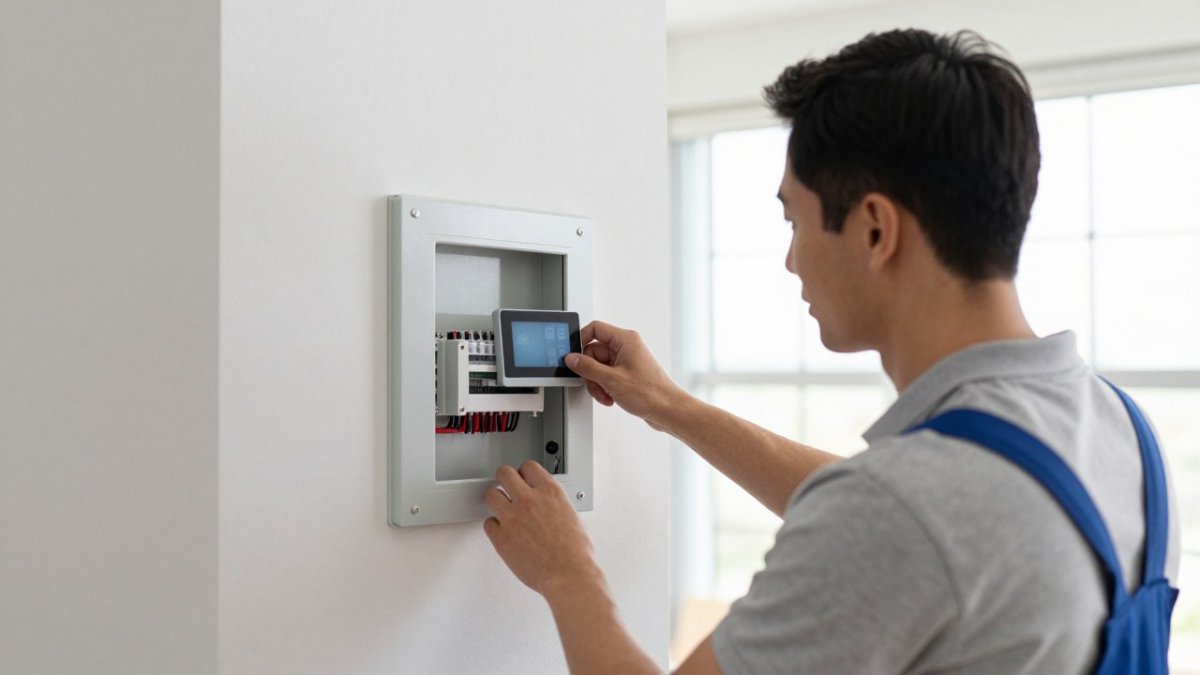
For security devices in particular, the layout matters. Compare DIY and professional smart home security setups to decide which approach fits your home.
Choosing Your Integrated System and Booking a Free Assessment
The best integrated smart home system is the one designed around your home, your devices and how you live. Start by listing what you want to control, then check each device's protocol and platform support before buying anything.
Integrity Home Technologies offers a free assessment to map out the right system for your property. Schedule your free smart home assessment in Northern Kentucky and we will help you build a system that works together.
Frequently Asked Questions
Can you integrate cameras from different brands into one system? In many cases, yes. Integration depends on whether each camera supports a shared platform or protocol. We assess existing equipment first, so you do not have to replace everything unless it is necessary.
Why is professional installation priced differently from other quotes? Quotes vary with scope, wiring, network work and the number of automations. We provide an itemized written estimate so you can see what each part of the project includes.
Frequently Asked Questions
What is the best integrated smart home system?
No single system is best for every household. The strongest integrated options are the ones that run lighting, security, climate, audio and locks from one controller and one app, and that support open standards such as Matter and Thread. Ecosystem platforms like Amazon Alexa, Google Home and Apple HomeKit suit households already committed to one brand. A dedicated hub such as Hubitat suits people who want local automation and fewer cloud dependencies. Compare the systems against the devices you already own before deciding.
Which smart home system works with the most devices?
Device count depends on protocol support more than brand. Systems that support Matter, Zigbee, Z-Wave and Wi-Fi reach the widest range of products. Amazon Alexa and Google Home list broad device integrations, and Hubitat is built to add many device types through its hub. Before buying, check each device's protocol on the manufacturer's listing and confirm that your chosen system supports it, because a device that requires a missing protocol will not connect.
Can different smart home brands work together in one system?
Often yes, but the level of cooperation varies. Matter is designed to let devices from different manufacturers work through one controller, which makes mixed-brand setups more practical. Older devices may still need a bridge or a separate hub. Expect some features to be limited when devices use different protocols. If you already have cameras or sensors from several brands, check their protocol support before assuming they will integrate.
Is a professionally installed smart home system worth it?
A professional can help plan the network and cabling before equipment goes in. Pricing depends on the scope of the project, the number of devices and the equipment chosen, so request a quote tied to your specific home. Integrity Home Technologies provides a free assessment of project needs.