 blog
blog
Best Smart Home Security System 2026
Table of Contents
- What Makes a Smart Home Security System Worth Installing
- DIY vs Professional Security Systems: What's Right for Your Home
- Professional Home Security Installation: Why Expertise Matters
- Smart Home Security Integration: Connecting Your Entire System
- Key Features to Evaluate in Your Smart Home Security System
- Understanding Total Cost of Ownership
- How Professional Installation Protects Your Investment
- Frequently Asked Questions
Last Updated: September 27, 2026
What Makes a Smart Home Security System Worth Installing
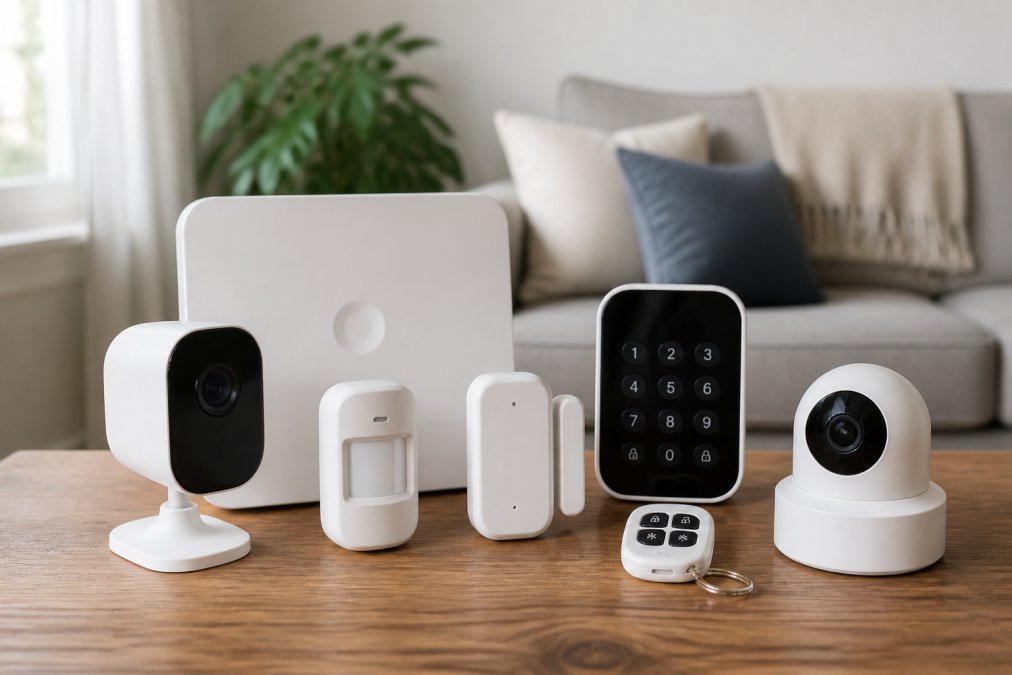
A smart home security system combines connected sensors, cameras, and monitoring services to protect your property while offering remote access and automation capabilities. The difference between a basic system and a truly integrated one comes down to how well components communicate with each other and whether they work alongside your existing smart devices.
Most homeowners underestimate how much a coordinated approach matters. Individual cameras and sensors often operate in silos, but professional installation ensures everything talks to the same hub and gives you a unified view from one app instead of five.
The real value emerges when your security system becomes part of a larger ecosystem. Motion sensors trigger lights, door sensors log entries, and video feeds integrate with smart locks. When these pieces work together, you get genuine peace of mind.
DIY vs Professional Security Systems: What's Right for Your Home
DIY systems offer flexibility and lower upfront costs. This works well if you're technically comfortable, have a straightforward layout, and don't mind troubleshooting connectivity issues.
Professional installation handles the complexity for you. Technicians assess your property, run wiring, position cameras for optimal coverage, and integrate everything into a cohesive system while ensuring compliance with local codes.
The real difference is installation quality and ongoing support. A camera mounted at the wrong angle, poor wiring, or a hub in a dead zone all compromise effectiveness. Professional installers know these pitfalls from repeated experience.
If you're renting or technically skilled with simple needs, DIY makes sense. If you own your home and want seamless integration, professional installation pays for itself through reliability.
Professional Home Security Installation: Why Expertise Matters
Professional installation transforms a collection of devices into a functioning security system. Technicians run low-voltage wiring through walls and conduit, position cameras for complete coverage without blind spots, and configure each component to communicate with the central hub.
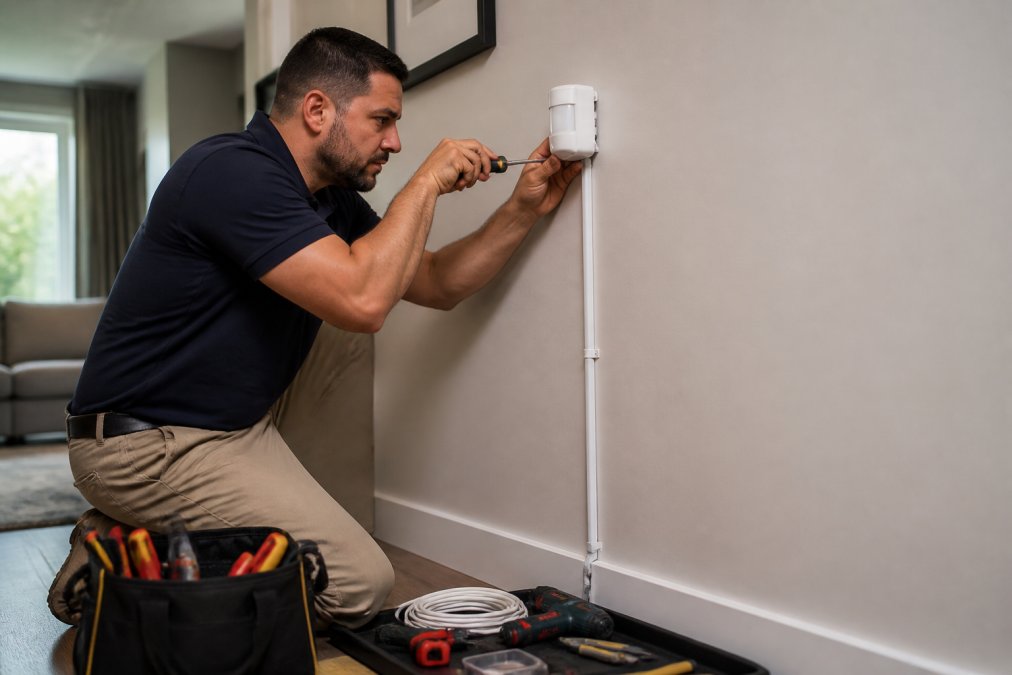
The installation process involves critical steps most homeowners overlook. Proper cable routing prevents interference and damage. Strategic camera placement requires understanding sightlines and lighting. Hub placement affects wireless signal strength. Each decision compounds overall effectiveness.
Expertise means knowing what you actually need versus what sounds impressive. A technician assesses your property's vulnerabilities and recommends components that address real risks, preventing overspending.
Professional installers handle integration with existing smart home devices, ensuring your security system works alongside them rather than creating conflicts.
Smart Home Security Integration: Connecting Your Entire System
Smart home security integration means your security components communicate with each other and other smart devices. A motion sensor triggers recording, a door sensor sends alerts and logs entries, and your smart lock coordinates with arming schedules. This coordination transforms isolated devices into a unified system.
Integration requires a central hub that speaks the same language as all your devices. Historically, security systems used proprietary protocols, creating "walled gardens" where devices from different manufacturers often would not work together.
Matter and Thread: The Future of Smart Home Interoperability
Matter is a new smart home standard backed by the Connectivity Standards Institute and supported by Amazon, Apple, Google, Samsung, and others (Build With Matter). It creates a universal language that all smart home devices can speak, regardless of manufacturer.
Thread is a wireless networking protocol that works alongside Matter. While Matter defines what devices communicate, Thread defines how they communicate. Thread creates a mesh network where devices relay signals through each other, extending range and reliability, particularly important for large homes or buildings with thick walls (Thread in Homes).
When purchasing a security system in 2026, prioritize Matter and Thread support. A system that supports them will integrate seamlessly with future devices from different manufacturers. A system locked into proprietary protocols may become obsolete as the industry shifts toward Matter.
Evaluating Matter Support in Security Systems
Not all security systems support Matter yet. Some have it built into the hub, others require a separate bridge device, and some have only announced future support.
When comparing systems, ask: Does the hub support Matter natively or require a bridge? Has Matter support been released or is it in development? Does the system support Thread or only Matter over Wi-Fi? Thread support is particularly valuable because it creates a more reliable mesh network than Wi-Fi alone, ensuring signals reach the hub even in areas with poor coverage, especially important for basements, garages, or metal-framed buildings.
Integration with Popular Smart Home Ecosystems
Beyond Matter, consider how the security system integrates with the smart home ecosystem you already use or plan to build.
Amazon Alexa integration allows voice control, alerts, and routines, for example, "Alexa, I'm leaving" arms your system and engages locks. Apple HomeKit integration provides similar functionality with stronger privacy since it processes automations locally rather than on Apple's servers. Google Home integration works similarly to Alexa through Google Assistant.
The key question is whether the security system integrates natively with these platforms.
Professional Monitoring and System Integration
Integration also extends to professional monitoring services. When your system detects motion or an open door, it alerts your monitoring center, which verifies the event and contacts emergency services if needed, a security layer DIY monitoring cannot match.
Avoiding Lock-In and Planning for Evolution
When choosing a security system, consider how easily you can expand it or switch providers. Systems with Matter support and open standards are more flexible. Systems locked into proprietary protocols risk expensive replacement costs if the manufacturer discontinues support. Also consider the manufacturer's track record with updates and support, companies embracing open standards like Matter tend to be more forward-thinking.
Key Features to Evaluate in Your Smart Home Security System
Evaluating a smart home security system means looking beyond marketing claims to understand how components actually perform in your environment. Several features directly impact your system's effectiveness and your experience using it.
Professional Monitoring vs Self-Monitoring
Professional monitoring means a 24/7 service center watches your system and contacts emergency responders. Self-monitoring puts you in control to decide whether to call police. The choice depends on your preferences and lifestyle.
Wireless vs Wired Connectivity
Wireless systems are easier to install and expand with no cables through walls. Wired systems offer more reliable connectivity and never need battery replacement but cost more to install. Most modern systems use a hybrid approach, wireless sensors for convenience combined with wired backbone for reliability.
Privacy and Data Security Features
Your smart home security system collects video footage, entry logs, and movement patterns. Protecting this data requires encryption, secure authentication, and clear privacy policies. Look for systems that offer local storage options alongside cloud backup, giving you control over where sensitive data lives.
Never use default passwords or weak credentials for your security system. A hacked account gives attackers access to your home's layout, entry patterns, and live camera feeds. Change default passwords immediately and use unique, complex credentials.
Understanding Total Cost of Ownership
The price tag on a smart home security system tells only part of the story. Monthly monitoring fees, equipment replacements, and system upgrades add up over time. Understanding total cost of ownership helps you compare options fairly.
How Professional Installation Protects Your Investment
Professional installation protects your security investment in several concrete ways. Proper wiring prevents signal degradation and physical damage. Strategic component placement ensures coverage without blind spots. System configuration matches your actual security needs rather than overselling features.
Frequently Asked Questions
What features should I look for in the best smart home security system?
Prioritize professional monitoring capabilities, encrypted cloud and local storage options, two-factor authentication, integration with voice assistants, motion and door/window sensors, and a reliable cellular backup. The system should support remote arming/disarming, offer night vision on cameras, and have a strong siren output. Check whether it scales as your home grows and verify compatibility with other smart home devices you already own. False alarm reduction features can also save you money on monitoring fees.
Should I install a smart home security system myself or hire a professional?
DIY systems work for basic setups but lack the expertise to optimize placement, ensure proper wiring, integrate multiple device brands, or troubleshoot connectivity issues. Professional installation includes site assessment, custom design, low-voltage wiring expertise, integration testing, and ongoing support. Professionals identify vulnerabilities you might miss and ensure your system meets local requirements. For homes with existing systems or complex layouts, professional installation saves time, prevents costly mistakes, and protects your investment long-term.
How does smart home security integration actually work with my existing devices?
Smart home security integration connects your alarm system, cameras, locks, and sensors through a central hub or cloud platform. This allows remote monitoring, automation rules (like lights turning on when motion is detected), and voice control through compatible assistants. Professional installers assess your existing equipment, identify compatibility issues, and configure the system to work cohesively. Some systems use standard protocols like Matter or Thread for better interoperability, while others rely on proprietary connections. Your installer can determine whether existing devices integrate or need replacement.
What's the difference between wireless and wired smart home security systems?
Wired systems offer reliability and no battery maintenance but require professional installation and are difficult to modify later. Wireless systems are flexible and easier to install but depend on battery life and Wi-Fi/cellular strength. Many modern systems use hybrid approaches, combining wireless sensors with wired backbone connectivity. Wireless systems with cellular backup provide better redundancy if your internet fails. Your choice depends on your home's layout, existing wiring infrastructure, and willingness to maintain batteries. Professional installers can recommend the best approach for your specific situation.